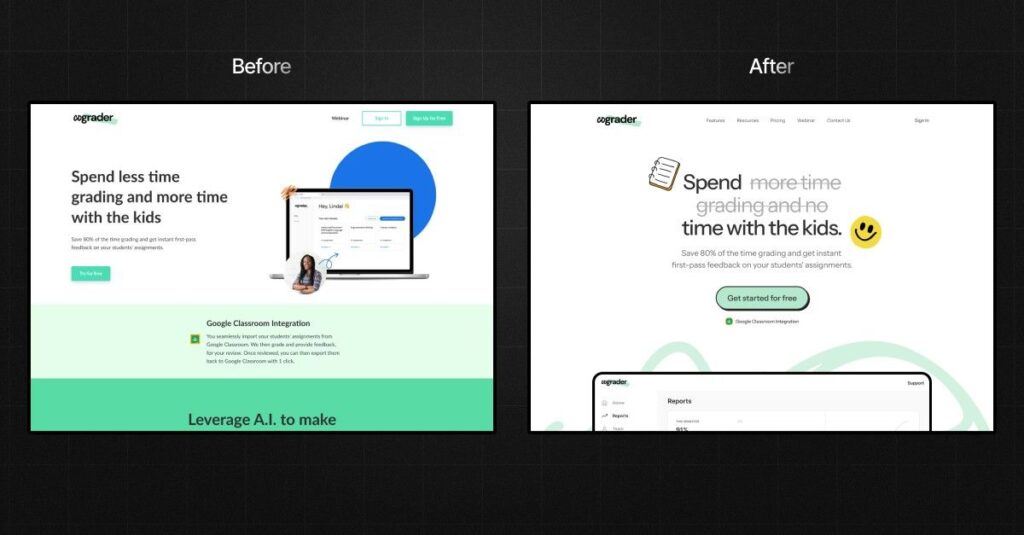
Creating a responsive website UI in 2025 is no longer optional—it is essential for business success. The design of a website directly influences user engagement, conversions, and brand perception. At GlowifyDesigns, we specialize in crafting visually stunning and highly functional UI design for websites, focusing on both aesthetics and usability. From cool UI websites that inspire visitors to bad UI websites that frustrate users, understanding the principles of effective design can elevate your online presence. Businesses in the USA and beyond are increasingly investing in ui ux website solutions, website UI testing, and ui designer portfolio website showcases to stay ahead. Whether you are looking for website card design UI, a ui ux and website design agency, or ui inspiration websites, this guide explores examples, tips, tools, and best practices to help you create great UI websites that captivate, convert, and retain your audience.
What is Website UI and Why It Matters
A website UI (User Interface) is the visual and interactive layer of a website that determines how users engage with content and functionality. Understanding what is a website UI is crucial for businesses seeking to optimize their online presence. A well-designed UI facilitates navigation, increases engagement, and directly impacts conversion rates. Website UI design involves careful selection of typography, color palettes, layout structures, and interactive elements to ensure an intuitive user experience. Poorly executed UI for website can result in bad UI websites that discourage users, reduce traffic, and harm brand credibility. By studying ui website examples, both cool website UI and websites with bad UI, designers can identify trends and best practices. For companies in the USA, a strong UI is critical not only for user satisfaction but also for SEO performance, as Google increasingly factors usability and engagement metrics into search rankings.
Understanding Website UI Design
Website UI design is the art and science of shaping the interface where users interact with your brand online. A UI design website must balance visual appeal with functionality, ensuring users can navigate seamlessly and accomplish goals efficiently. Elements such as buttons, menus, forms, and interactive components must be strategically placed for intuitive usability. Examining best website UI examples and analyzing bad UI website mistakes helps designers understand how aesthetics and functionality intersect. UI UX designer website template resources and ui ux portfolio website references provide inspiration for creating great UI websites that convert. At GlowifyDesigns, our approach emphasizes consistency, accessibility, and responsiveness, ensuring that your website for UI is not only visually striking but also optimized for UI website design, whether on desktop or mobile devices.
How UI Impacts User Experience and Conversions
A superior UI UX website directly influences user satisfaction and business outcomes. Well-designed interfaces guide users naturally through content, reducing friction and boosting conversions. Good UI websites employ clear navigation, readable typography, and intuitive interaction cues, whereas websites with bad UI often lead to confusion and higher bounce rates. Companies leveraging UI design for websites can enhance lead generation, sales, and customer retention. Understanding UI for website behavior allows designers to align visual hierarchy with user intent, improving engagement across platforms. By analyzing ui inspiration websites, using website UI examples, and applying proven principles, businesses can optimize their UI UX and website design agency strategies. Continuous attention to UI ensures a website not only attracts visitors but also converts them into loyal customers.
Examples of Best and Bad UI Websites
Learning from both best UI websites and bad UI websites is essential for designers seeking to create engaging and high-performing sites. UI website examples provide practical insights into layout strategies, interactive design, and responsive behavior. By examining cool UI websites, designers can identify elements that enhance usability and aesthetics, while websites with bad UI demonstrate pitfalls to avoid, such as cluttered interfaces, slow loading times, or inconsistent typography. UI designer portfolio website references are also valuable for understanding modern design trends and client expectations. Companies seeking ui ux portfolio website services benefit from studying these examples to make informed decisions about design direction, ensuring their website UI design tool choices are aligned with best practices and capable of delivering exceptional ui websites.
Best UI Websites: Designs That Convert
Best UI websites demonstrate a harmonious balance between visual appeal and functionality. These ui websites leverage responsive layouts, engaging graphics, and clear website card design UI components to facilitate effortless user navigation. Businesses in the USA increasingly look to ui inspiration websites and ui ux designer portfolio website examples for design strategies that drive conversions. Cool website UI trends, such as micro-interactions, dynamic content, and personalized interfaces, can improve engagement and retention. A strong ui ux design website focuses on intuitive navigation, fast loading times, and accessibility, ensuring a ui website design that meets user expectations. By emulating the practices of great UI websites, companies can enhance brand credibility, generate leads, and achieve higher ROI through improved website UI testing and iterative design improvements.
Bad UI Websites: Common Mistakes to Avoid
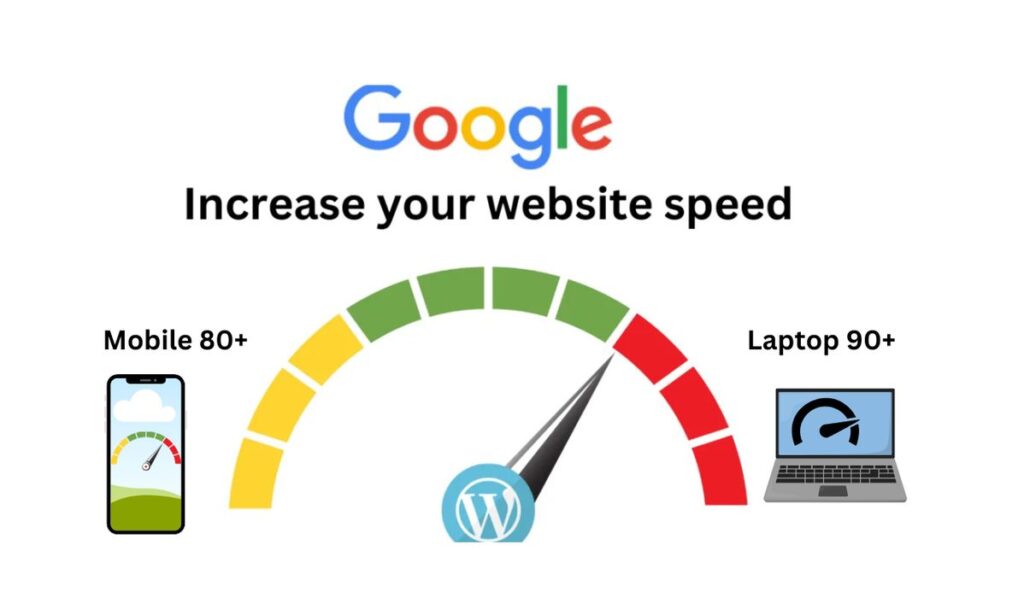
Bad UI websites often fail due to poor navigation, inconsistent layouts, and overwhelming visual clutter. Common mistakes include excessive pop-ups, unreadable fonts, slow load times, and lack of mobile responsiveness. These errors can significantly reduce engagement and conversions. Analyzing ui website examples of failures highlights critical areas for improvement. Avoiding bad UI website pitfalls ensures users remain on your site longer and complete desired actions. Businesses seeking ui ux and website design agency services should focus on good UI websites benchmarks to guide development. Additionally, maintaining consistency in color schemes, typography, and website card design UI ensures your interface aligns with branding while enhancing usability. Effective UI for website design mitigates friction, reduces bounce rates, and positions your site competitively in the USA digital market.
UI Design for Websites: Tips, Tools, and Inspiration
Creating effective UI design for websites requires the right combination of strategy, inspiration, and tools. Designers rely on ui ux designer website template collections, ui inspiration websites, and ui ux portfolio website examples to develop innovative and practical interfaces. Popular website UI design tools streamline the design process, offering drag-and-drop functionality, responsive previews, and interactive prototyping. Leveraging these resources allows designers to create great UI websites with minimal errors. Companies in the USA aiming for ui website design success should integrate usability testing, accessibility audits, and responsive design principles. Drawing inspiration from cool UI websites and studying bad UI websites ensures that designs are both visually appealing and functionally effective. At GlowifyDesigns, we emphasize aligning UI design with business goals, ensuring every ui websites project maximizes engagement and ROI.
UI Design Tools for Websites
Effective website UI design tools empower designers to bring creative visions to life while maintaining functional integrity. Tools like Figma, Sketch, Adobe XD, and Canva provide versatile platforms for crafting UI UX website designs, prototyping, and collaboration. UI for website designers can use these platforms to build responsive layouts, test website card design UI elements, and optimize navigation flow. By leveraging ui website design tools, agencies can analyze website UI examples and iterate quickly, ensuring alignment with current trends. UI designer portfolio website templates integrated within these tools offer practical references for producing great UI websites. Additionally, implementing website UI testing within design tools identifies usability issues early, preventing common pitfalls seen in websites with bad UI, ultimately creating cool UI websites that delight users and drive business growth.
UI Inspiration Websites and Portfolio Examples
Exploring UI inspiration websites and ui ux portfolio website examples provides invaluable insights into modern design trends. Observing best UI websites helps identify layouts, color schemes, and interaction patterns that resonate with users. Similarly, analyzing bad UI websites uncovers errors to avoid, such as poor hierarchy, cluttered interfaces, or unresponsive elements. Designers often reference ui designer portfolio website showcases to understand industry standards, client expectations, and innovative techniques. UI UX designer website template collections streamline workflow by providing pre-built, tested components for ui website design. By drawing from these inspirations, businesses in the USA can create great UI websites that not only look impressive but also function seamlessly. Leveraging ui websites insights ensures your website for UI remains competitive, user-friendly, and optimized for conversions.
How to Build a Great UI Website
Building a great UI website requires a strategic approach that combines usability, aesthetics, and business objectives. A successful ui ux design website ensures intuitive navigation, responsive layouts, and clear visual hierarchy. Companies should consider website UI testing, ui inspiration websites, and ui ux portfolio website examples to inform design choices. Leveraging UI design for websites tools helps streamline the creation process, allowing designers to focus on creating cool UI websites that engage visitors. For businesses in the USA, following ui website design principles ensures optimal user experience, retention, and conversion. Incorporating feedback loops, accessibility standards, and UI for website best practices ensures every project aligns with modern trends. At GlowifyDesigns, our expertise in ui ux and website design agency services guarantees ui websites that perform, inspire, and convert.
UI Design Principles Every Website Should Follow
Every UI design for websites project should adhere to key principles that enhance usability and engagement. Principles like consistency, visual hierarchy, simplicity, and responsiveness ensure a UI UX website is intuitive and user-friendly. Observing ui websites trends, such as website card design UI and micro-interactions, improves navigation and interactivity. Studying websites with good UI and avoiding bad UI websites errors ensures high-quality outcomes. UI designer portfolio website examples provide insights into effective layouts and design strategies. Designers should also consider accessibility, fast loading times, and cross-platform functionality when creating ui website design projects. Following these principles ensures that great UI websites deliver exceptional user experiences, meet business objectives, and maintain a competitive edge in the USA digital marketplace.
Creating Your Own UI Portfolio Website
A UI UX portfolio website is essential for designers seeking to showcase skills and attract clients. Highlighting ui website examples, cool UI websites, and successful UI design for websites projects establishes credibility. Including interactive website card design UI, clear navigation, and responsive layouts demonstrates expertise in website UI design. A well-crafted UI designer portfolio website emphasizes usability, aesthetics, and conversion-oriented design. Designers can draw inspiration from ui inspiration websites and leverage ui ux designer website template resources for efficiency. At GlowifyDesigns, we emphasize building portfolios that highlight great UI websites and actionable results, allowing professionals to communicate capabilities clearly. A strong ui ux portfolio website not only showcases creativity but also demonstrates strategic thinking and mastery of UI for website design principles.
Testing and Improving Your Website UI
Effective website UI testing ensures that UI UX websites function as intended, providing a seamless experience across devices. Testing identifies navigation issues, accessibility barriers, and performance bottlenecks. Businesses in the USA use UI design for websites insights and website UI examples to benchmark performance and implement improvements. Continuous feedback, usability testing, and A/B experiments help optimize cool UI websites and avoid bad UI websites mistakes. Leveraging ui ux and website design agency expertise ensures that improvements align with user expectations and business goals. A robust testing strategy not only refines the ui website design but also enhances conversions, engagement, and SEO performance. Website UI testing techniques are essential for maintaining high-quality ui websites that delight users and drive results.
Website UI Testing Techniques
Website UI testing techniques help identify and resolve usability issues before they impact users. Methods such as A/B testing, heatmaps, session recordings, and usability audits assess website UI design performance and pinpoint friction points. Testing ui websites ensures responsive layouts, intuitive navigation, and functional interactive elements. Evaluating website card design UI, page load speed, and accessibility adherence prevents common errors seen in bad UI websites. UI UX designer website template previews and ui inspiration websites can guide testing benchmarks. Implementing structured website UI testing processes allows cool UI websites to achieve optimal user satisfaction, increased conversions, and reduced bounce rates. Designers and businesses in the USA can use these techniques to maintain great UI websites and continually improve the digital experience.
Continuous Improvement and Trend Monitoring
Continuous improvement and trend monitoring are crucial for maintaining a UI UX website that remains competitive. Tracking user behavior, analyzing ui website examples, and monitoring emerging trends ensures that ui websites stay relevant and engaging. Incorporating feedback from website UI testing and observing cool UI websites fosters innovation while avoiding the mistakes of bad UI websites. Following UI design for websites best practices and leveraging ui ux portfolio website insights allows designers to adapt to evolving expectations. At GlowifyDesigns, we emphasize continuous refinement, trend analysis, and creative inspiration to ensure great UI websites consistently provide exceptional experiences, drive engagement, and achieve business goals in the USA digital market.